
TV Cast Pro for Fire TV
2kit consultingVideo Players & Editors
4.1436.00 Reviews
- Version
- 2.47
- Installs
- 100.00K
- Age Rating
- Everyone
Screenshots
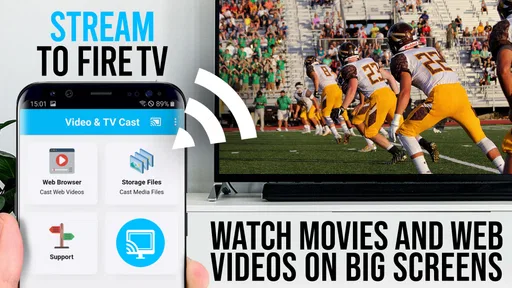
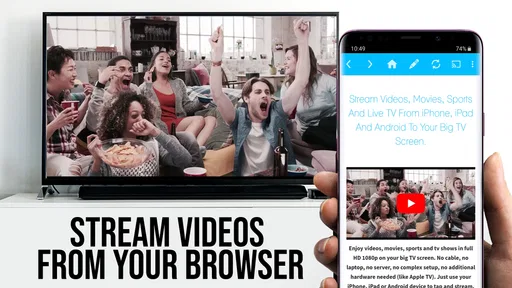
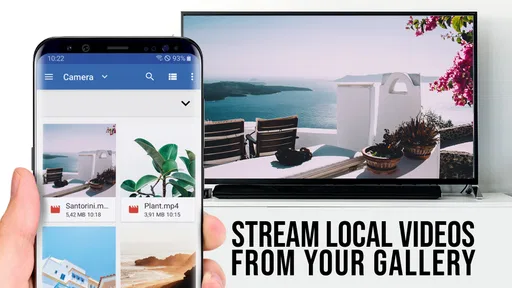
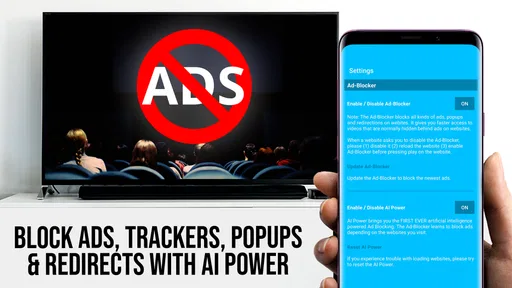
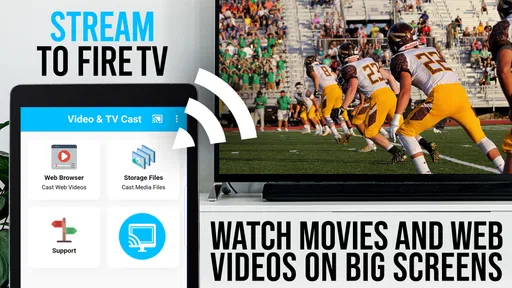
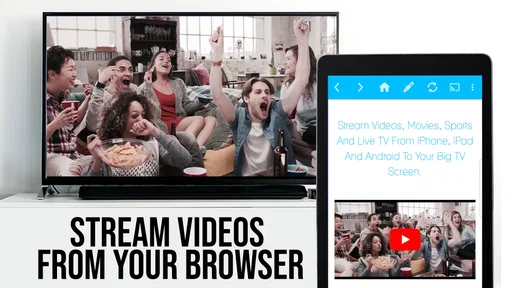
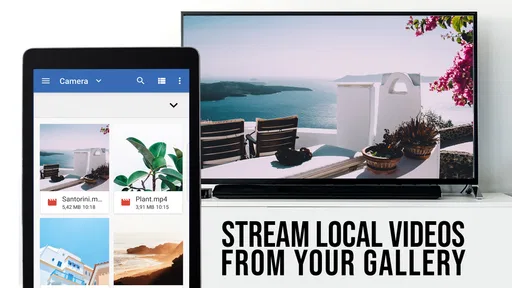
Our Review of TV Cast Pro for Fire TV
 Analysis by Appyee
I found TV Cast Pro most useful in a household where the television is already the center of attention, but the video someone wants to watch lives on a website rather than inside a familiar TV app. Instead of passing a phone around or trying to make a television browser behave like a desktop browser, the app gives Fire TV a more focused way to reach web videos, online movies, and livestreams. That sounds narrow, and it is, but the narrow purpose is also its main appeal.
My experience with it is best described as practical rather than exciting. This is not an editor, media library, or social video platform despite sitting in the Video Players & Editors category. It is a casting and browsing tool from 2kit consulting, designed for people who want web-based video to appear on a larger screen. I would recommend it to someone who regularly encounters playable content in a browser and wants a straightforward path to Fire TV. I would not recommend buying it simply because it carries the word “Pro”; its value depends heavily on the websites and viewing habits in your home.
How it fits into a shared living-room routine
The clearest everyday scenario is a shared evening. One person finds a livestream, a niche film page, or a video embedded on a site that the usual television applications do not cover. Rather than asking everyone to watch from a small phone, that person can use the Fire TV setup as the destination and keep the living-room screen available for the group. The benefit is less about adding another entertainment service and more about reducing the distance between web content and the television.
That distinction matters. If your household mainly watches services with polished Fire TV applications, those native apps will usually be easier. They tend to remember accounts, organize recommendations, and handle playback in a way designed specifically for remote control. TV Cast Pro becomes more interesting when the content is irregular: a broadcaster’s web player, an event page, a creator’s own site, or an online video that has no convenient app on the television.
I also noticed a useful social advantage in this kind of arrangement. The person who discovers a video does not necessarily have to surrender their phone for the whole viewing session. The phone can remain a discovery and control device while the television becomes the shared display. That can make a difference when several people are deciding what to watch, especially when the content comes from different websites rather than one subscription service.
There is a trade-off, though. A shared screen does not automatically create a shared account. If a website requires a personal login, the person initiating playback may still be responsible for that account, its session, and any private recommendations or history visible through the browser. I would treat the app as a way to send or open video content, not as a household account-management solution.
What the app is really good at
Its strongest use is the gap between “this plays in a browser” and “this has a proper television app.” That gap is easy to underestimate until you regularly encounter it. A web video may be perfectly suitable for a group viewing, yet awkward to show on a television without cables, screen mirroring, or a second device connected directly to the display.
The store summary highlights HD web videos, online movies, and livestreams. In practice, I would read that promise as a description of the intended workflow rather than a guarantee that every page will behave identically. Websites differ in how they deliver video. Some use standard players that are easy to recognize; others wrap playback in advertising, unusual controls, sign-in steps, or page elements that are not designed for a television. The app can make the route more convenient, but it cannot make every website equally television-friendly.
That is why I would test the particular sites you care about before building your entire household routine around it. If your important content is consistently available through ordinary web players, the purchase makes more sense. If the pages are heavily interactive or depend on a service’s dedicated application, the usual alternative may remain smoother.
Setup boundaries worth understanding before buying
The app is intended for Fire TV, so the first boundary is the device itself. It is not a universal replacement for every casting method across every television platform. If your main screen is not part of the Fire TV ecosystem, this is probably the wrong starting point. I would also check that the phone, browser workflow, and television are all on the same home network when you begin, because discovery and communication between devices are central to this kind of setup.
My advice is to approach installation with one specific test case ready. Choose a web video you already know, open it on the device you plan to use for browsing, and see whether the app recognizes the playable content in a useful way. This is more informative than judging the app with a random page full of menus. It also exposes an important limitation early: the visible video on a webpage is not always delivered in a format that a casting application can handle cleanly.
The paid price is $6.99, so I would not treat it as an impulse purchase for a feature you may use once. The cost is easier to justify if the app replaces a recurring annoyance, such as moving a laptop to the television or repeatedly searching for unofficial workarounds. For occasional web viewing, a cable, built-in browser, or ordinary screen-mirroring option may be enough, depending on the devices already in your home.
Another boundary is control. Casting is not the same as transferring the entire browsing experience to the television. You may still need the original device to find pages, start playback, pause, or move between pieces of content. That can be an advantage because a phone is faster for typing and browsing, but it means the household should know which device is acting as the remote. When that is unclear, people can assume the television is frozen when the real issue is that the controlling phone has left the page or lost its connection.
A calmer way to coordinate viewing
For shared use, I would establish a simple handoff routine. One person finds the content, confirms that it is the intended page, starts the cast, and then tells everyone whether the phone remains available for control. This avoids the familiar living-room problem in which several people tap different controls at once or someone closes the browser because they think it is no longer needed.
It is also worth separating discovery from playback. I prefer using the phone for searching and reading descriptions, then keeping it with the person who started the session. If another viewer wants to suggest the next video, they can share the page or take over deliberately rather than grabbing the device mid-playback. TV Cast Pro does not need to become the household’s entire media hub; it works better as a bridge for content that would otherwise be inconvenient to show.
For livestreams, timing and coordination matter even more. A live page may expose several buttons, chat areas, or alternate players. I would start the stream before inviting everyone to settle in, then check that the correct feed is playing on the television. This small step prevents the group from discovering together that the page opened on an introduction, an advertisement, or the wrong stream.
There is a less obvious benefit to this workflow: it keeps personal browsing separate from the public display. I would prepare the page on the phone first and only send it after checking what is visible around the player. That is especially useful when a site includes private account details, suggested videos, or unrelated tabs. The television should receive the intended content, not the entire context of someone’s browsing session.
Privacy, age, and trust in a family setting
The content rating is Everyone, which makes the app itself broadly suitable as a household utility. That rating should not be confused with a guarantee that every website reached through it is appropriate for every viewer. A browser-based casting tool can lead to many kinds of online material, so the responsibility for choosing pages remains with the person operating it and the adults supervising younger viewers.
I would be particularly careful with a shared Fire TV profile or a television located in a common room. Before casting, check the page title and surrounding content on the phone. A link that looked harmless in a message can open a page with mature recommendations, aggressive advertising, or a login prompt. The app may place the video on the big screen, but it does not replace parental judgment or a family agreement about which sites are acceptable.
Account boundaries deserve the same attention. If a household member uses a personal browser account to find videos, they should avoid assuming that the television is a private extension of that account. The safest habit is to review the page before sending it, sign out when appropriate, and avoid leaving a personal session open on a device everyone can access. I would not buy this app expecting separate household profiles or built-in supervision tools; its role is playback and casting, not family administration.
For older children, the app can be useful when an adult chooses the source and handles the first connection, but I would still explain the difference between an approved video and an open web page. For younger children, I would keep the casting device with an adult. That is not a criticism of the application specifically; it is a consequence of bringing browser content into a shared room without the filtering and structure of a dedicated children’s service.
Where it stands beside the usual alternatives
The most obvious alternative is the native Fire TV application for the service you want to watch. If one exists and works well, I would usually choose it. Native apps tend to offer better remote navigation, clearer sign-in flows, and fewer surprises when resuming a program. TV Cast Pro earns its place when the content is outside that ecosystem.
Screen mirroring is another option. Mirroring shows more of the phone or computer, which can be helpful for pages that do not expose a clean video stream. However, it also displays notifications, browser controls, and everything else that appears on the source device. A casting-focused workflow can be tidier when all you want is the video, while mirroring may be more flexible for unusual content. The choice depends on whether you value a cleaner television view or broad compatibility with whatever is on the screen.
A laptop connected by cable remains the dependable fallback for difficult websites. It is less elegant, but it gives you a full browser, a keyboard, and direct control over pages that do not cooperate with casting. I would choose that route for work-related presentations, complicated interactive sites, or anything where losing a browser control would be frustrating. TV Cast Pro is more convenient for casual viewing, not necessarily more capable in every situation.
There is also the built-in browser route on a television, where available. That can avoid a separate casting step, but typing with a remote and navigating dense pages can be slow. The app’s advantage is moving discovery to a device better suited to browsing. Its weakness is that you are coordinating two devices instead of one. For a household that already keeps a phone nearby, that exchange feels reasonable; for someone who wants everything controlled from the sofa, it may feel like unnecessary friction.
Performance expectations and practical habits
The advertised focus on HD is appealing, but the final viewing quality depends on more than the app. The source website, network stability, Fire TV hardware, and the video’s own delivery method all matter. I would avoid judging the experience from a congested network or a page that is already struggling in the browser. When a stream stutters, the cause may be the source or connection rather than the casting layer.
Starting with a short test is my preferred habit. Play the video briefly, confirm that sound and picture are aligned, and make sure the phone still responds before settling down. This is especially valuable for a livestream, where a problem discovered late can interrupt the entire group’s viewing. It also helps reveal whether the website’s controls remain usable after the video reaches the television.
Keep the controlling device charged and avoid closing the relevant browsing session until you know the Fire TV is handling playback independently enough for your needs. If the phone is handed to another person, explain what should remain open. This sounds basic, but shared-device problems are often coordination problems rather than technical failures.
The app’s current version is 2.47, and its release history begins on November 15, 2016. That long presence suggests an established product rather than a brand-new experiment, while the version detail is a reminder to keep expectations practical: the experience can change as websites, Fire TV software, and mobile operating systems evolve. It supports Android from version 7.0 onward, which makes it accessible to many older devices, but compatibility alone does not guarantee that every phone will feel equally comfortable for browsing and control.
Who should pay for it?
I think the purchase is sensible for a household that repeatedly watches web-only video on Fire TV and wants a dedicated bridge instead of improvising each time. The app is also a good fit for people who dislike displaying their whole phone on the television and prefer to keep browsing separate from playback. Its strongest audience is not everyone who watches video; it is people whose video sources do not fit neatly into native television apps.
I would skip it if your viewing is already covered by streaming applications on Fire TV. I would also skip it if you expect a full media center with unified search, personal profiles, automatic recommendations, or robust family controls. Those expectations belong to a different kind of product. This tool has a narrower job, and paying for it only makes sense when that job appears often enough to save time.
People who mostly watch from a computer may prefer a cable or a desktop-oriented casting method. People who want to browse directly with a remote may prefer a television browser, provided the pages they visit are manageable that way. TV Cast Pro sits between those choices: more focused than mirroring, generally more flexible than a native app, but dependent on a second device and on how cooperative each website is.
My household verdict
After looking at it as a shared-device tool rather than simply a way to put videos on a larger screen, I see a clear but limited value proposition. It can make an awkward household moment—“this video is online, but not on our TV”—much easier to solve. It encourages a useful separation between the phone used for discovery and the television used for group viewing, while still requiring someone to coordinate the connection.
The main cautions are equally clear. Do not assume every web player will behave the same way. Do not treat the Everyone rating as a filter for the websites you open. Do not expect separate account boundaries or built-in family supervision. And do not overlook the possibility that a native Fire TV app, mirroring, or a laptop will be better for your particular source.
With those limits in mind, I see TV Cast Pro as a sensible purchase for a specific recurring problem, not a universal upgrade to television viewing. Its average rating is 4.1 from roughly two thousand ratings, and it has passed one hundred thousand installs, which fits my impression of a useful niche app with a defined audience rather than an essential tool for every Fire TV owner. If web videos and livestreams regularly bring your household together, the one-time cost can be easy to justify. If they rarely do, keep using the simpler option you already have.
Verdict
Strengths of TV Cast Pro for Fire TV
- Streams videos, photos, and music from your phone to Fire TV.
- Supports many popular video and media websites.
- Simple controls make casting and playback easy to manage.
- Works without transferring large files to your Fire TV.
- Useful for viewing personal media on a bigger screen.
Limitations of TV Cast Pro for Fire TV
- Some websites may block casting or fail to load correctly.
- Premium features require a separate purchase or subscription.
- Playback quality depends heavily on your Wi-Fi connection.
- The app may show ads or promotional prompts in free use.
- It is designed for Fire TV and offers limited value on other devices.
Other Releases by 2kit consulting
View All
TV Cast | Ultimate Edition
Video Players & Editors4.0

Screen Mirroring + for Fire TV
Tools4.4

Screen Mirroring Pro for Roku
Tools4.5

TV Cast Pro for LG webOS
Video Players & Editors4.2
Similar Picks in This Category
View All
Google TV
Google LLC3.9

iTunes
Apple4.7

YouTube
Google LLC3.8

MX Player
Amazon Mobile LLC4.2

CapCut - Video Editor
Bytedance Pte. Ltd.3.5

PLAYit-All in One Video Player
PLAYIT TECHNOLOGY PTE. LTD.4.5
Frequently Asked Questions
What is TV Cast Pro for Fire TV and how does it work?
TV Cast Pro for Fire TV is a casting and mirroring companion app that lets you send compatible web videos, photos, music, and other media from a mobile device to an Amazon Fire TV or Fire TV Stick. After installing the app on both devices, you generally connect them to the same Wi-Fi network, open supported content on your phone or tablet, and use the in-app casting controls to play it on the television.
Which devices and media formats are supported by TV Cast Pro for Fire TV?
The app is designed primarily for Android and iOS phones or tablets working with Amazon Fire TV devices, including many Fire TV Stick models. Compatibility can vary depending on the television, Fire OS version, mobile operating system, and the source website. Web videos that use unsupported players, DRM protection, private streams, or unusual formats may not cast correctly, so users should check the app listing and test their preferred content.
Does TV Cast Pro for Fire TV mirror the entire phone screen?
TV Cast Pro is mainly intended for casting selected online media rather than providing unrestricted system-wide screen mirroring. This means it can often send a supported video or photo to Fire TV while allowing you to continue using the mobile device, but it may not reproduce every app, game, notification, or protected streaming service on the television. Full-screen mirroring depends on the device and the features offered by the specific version.
Do I need the same Wi-Fi network to use TV Cast Pro for Fire TV?
In most home setups, the phone or tablet and the Fire TV must be connected to the same local Wi-Fi network so the app can discover and communicate with the television. Guest networks, VPNs, router isolation, weak wireless signals, or different frequency bands configured with device isolation can prevent detection. If the Fire TV does not appear, verify the network, restart both devices, and check local-network permissions.
Is TV Cast Pro for Fire TV free, and are there any limitations?
Availability and pricing depend on the platform and the version downloaded, so users should review the current Google Play Store or App Store listing before installing. A free version may include advertising, feature restrictions, or limits on certain casting functions, while the Pro edition is commonly intended to unlock additional capabilities and reduce interruptions. In-app purchases, subscriptions, and compatibility limits should be checked before completing payment.
